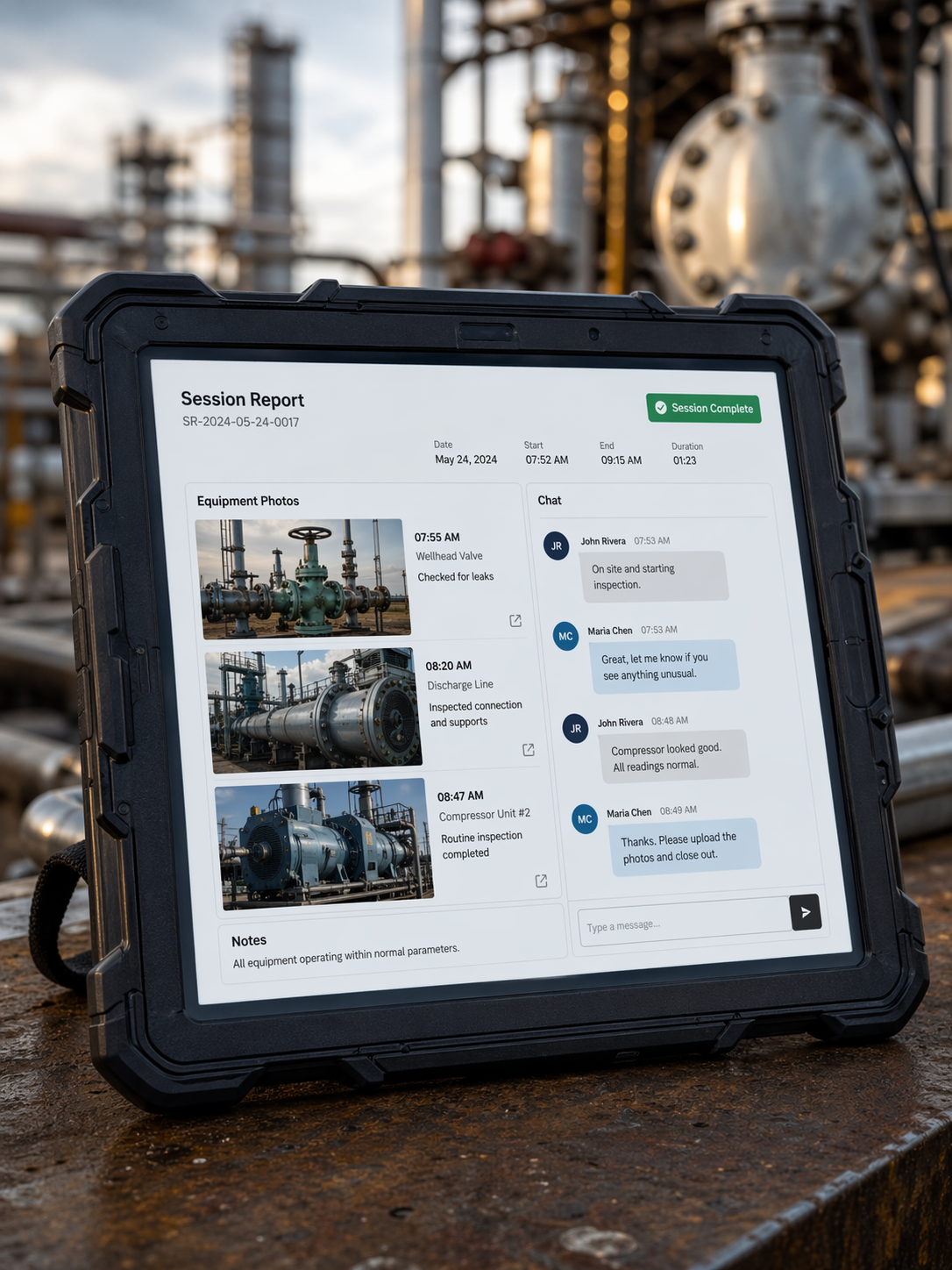
Field operations management software (FOMS) is not field service management. It's built for the complexity of enterprise frontline teams running inspections, incidents, and multi-crew workflows in the field. The biggest risk isn't choosing the wrong vendor — it's choosing a tool designed for scheduling technicians when your team actually needs structured workflow execution, compliance capture, and real-time incident escalation.
The Visibility Gap That Starts It All
Picture this: a utility crew of twelve is mid-inspection on a high-voltage substation. Half the team is underground. The site supervisor is on a different section of the grid. The safety incident that just happened three minutes ago is still sitting in a paper log on someone's clipboard.
Back at headquarters, the operations director has no idea. The incident won't surface until end-of-shift reporting — hours later, when the ability to respond, escalate, or prevent escalation has long passed.
This isn't a technology problem. It's a visibility gap, and it's the core reason enterprise field teams are moving away from generic service tools toward purpose-built field operations management software.
At Telepresenz, we've spent years working with enterprise field teams across utilities, transportation, and industrial sectors. The difference between field teams that operate with confidence and those that operate in reactive chaos almost always comes down to one thing: whether their software was designed for their kind of fieldwork, or retrofitted from something else.
What Is Field Operations Management Software?
Field operations management software is a digital platform that enables enterprise teams to plan, execute, monitor, and audit work performed in the field — including inspections, maintenance tasks, safety incidents, and compliance workflows — from a centralised, real-time interface.
It is the operational backbone for industries where the work happens away from a desk, across distributed sites, in conditions that don't always cooperate with connectivity. Think utilities crews managing grid infrastructure, transportation operators coordinating fleets and depots, or industrial teams running asset inspections across hundreds of locations.
What separates field operations management software from a simple scheduling or ticketing tool is workflow depth. It doesn't just track who showed up where. It manages what was done, how it was done, what was found, and what needs to happen next — with the documentation and audit trail to prove it. This includes:
- Structured digital work orders with field-configurable steps and mandatory checkpoints
- Mobile-first execution built for crews working on phones and ruggedised tablets, often in low or no connectivity environments
- Inspection and incident capture with photo, video, voice annotation, and geolocation
- Real-time escalation so that a flagged defect or safety event reaches the right person at HQ within seconds, not hours
- Compliance documentation that satisfies regulatory requirements without requiring crews to duplicate data entry
For enterprise teams, the emphasis is on scale and integration — the software must work across hundreds of simultaneous field workers, connect with GIS, SCADA, ERP, and asset management systems, and provide operations leadership with a live picture of what's happening across the entire operation.
FOM vs FSM: What's the Real Difference?
This is the question that trips up more procurement processes than any other.
Field Service Management (FSM) software — think platforms like ServiceMax, FieldAware, or Salesforce Field Service — was built primarily to schedule and dispatch technicians for reactive service calls. A customer reports a broken appliance. A technician is dispatched. The job is completed. The invoice is generated. That's the FSM loop.
Field Operations Management Software was built for a fundamentally different operational model: one where the work is proactive, structured, and compliance-driven; where crews operate in teams rather than as solo technicians; and where the organisation's risk and safety posture is directly tied to what gets captured in the field.
The enterprise mistake: Selecting an FSM platform because it's widely marketed, then spending 18 months trying to configure it into something that serves your actual operational model. The result is usually an expensive, partial fit — and a field team that reverts to spreadsheets and paper forms because the software doesn't match how they actually work.
If your field operations involve structured inspections, multi-crew coordination, regulatory compliance, and real-time incident management, you need field operations management software — not a dispatching tool with inspection modules bolted on.
| Dimension | Field Service Management (FSM) | Field Operations Management (FOMS) |
|---|---|---|
| Primary user | Individual service technician | Multi-crew field teams & operations managers |
| Work model | Reactive service dispatch | Proactive, structured, compliance-driven workflows |
| Core output | Job completion & invoice | Inspection records, compliance audit trail, incident log |
| Regulatory fit | Light — SLA reporting | Deep — NERC, OSHA, ISO 55000, sector frameworks |
| Connectivity need | Online assumed | Offline-first by design |
The Five Feature Dimensions That Matter for Enterprise Teams
Enterprise field operations are different from small-scale service businesses in every dimension that matters: the number of concurrent workers, the regulatory exposure, the integration requirements, and the consequences of a missed step or a delayed escalation.
1. Offline-First Mobile Execution
Enterprise field teams don't always have the luxury of 4G coverage. Substations, tunnels, remote pipelines, and underground infrastructure are all common workplaces — and they're not always connected.
Software that breaks when connectivity drops isn't just inconvenient — it's a safety risk. Workers skip steps because the form won't load. Incidents aren't logged. Inspections are done from memory. The audit trail disappears.
What to look for: True offline-first architecture where the full workflow — including forms, checklists, photo capture, and signatures — functions without a network connection, and syncs automatically when connectivity is restored. This is non-negotiable for enterprise field operations in utilities and transportation.
2. Structured, Configurable Workflow Execution
The value of field operations management software is in the structure it imposes on field activity. A crew shouldn't be able to skip a mandatory safety check. An inspection shouldn't be submittable without all required observations captured.
Configurability matters equally. Different asset types, regulatory regimes, and operational contexts require different workflows — and the software should allow operations teams to build and modify those workflows without requiring developer involvement.
What to look for: Intuitive workflow builders, conditional logic (if X is found, trigger Y), mandatory field enforcement, and role-based workflow assignment. The ability to update workflows centrally and push them to field devices instantly is critical for enterprise operations.
3. Inspection and Incident Management Depth
Inspections and incidents are where regulatory risk lives. An inspection form that doesn't capture the right data, or an incident that doesn't trigger the right escalation, can create compliance exposure that far exceeds the cost of the software.
Purpose-built inspection and incident management goes beyond a generic form builder. It includes asset-specific inspection templates, defect classification frameworks, severity-triggered escalation paths, and the ability to attach multimedia evidence — photos, video, audio — directly to inspection records.
What to look for: Pre-built and configurable inspection templates, severity/priority classification, automatic escalation rules based on findings, multimedia annotation, geolocation tagging, and immutable audit logs. For regulated industries, the ability to export inspection records in formats accepted by regulators is essential.
4. Real-Time Visibility and Operational Oversight
The gap between what's happening in the field and what leadership knows about is where operational risk accumulates. Field operations management software should close that gap — not with end-of-day reports, but with a live operational picture.
This means a real-time dashboard where operations managers can see crew locations, task completion status, flagged issues, and open incidents — across all active sites simultaneously.
What to look for: Live crew and task status dashboards, map-based field visibility, real-time alert feeds for incidents and defects, exception-based highlighting (what's overdue, what's been flagged), and configurable notification routing. For large enterprises, the ability to filter views by region, asset type, or crew is essential.
5. Integration with Enterprise Systems
Field operations don't exist in isolation. Work orders originate in asset management systems. Compliance data feeds regulatory reporting. Location data connects to GIS. Financial data flows to ERP.
Software that operates as an island — collecting great field data that never reaches the systems that need it — creates integration debt that eventually forces manual workarounds or expensive custom development.
What to look for: Native integrations or well-documented APIs for GIS platforms (Esri, Google Maps), SCADA and IoT data feeds, ERP systems (SAP, Oracle), asset management platforms (IBM Maximo, Infor EAM), and identity management (Active Directory, SSO). Evaluate the integration effort required before committing to a platform.
What Utility Field Operations Teams Actually Need
Utility field operations — whether in electricity distribution, water and wastewater, or gas networks — have a specific set of requirements that distinguish them from other enterprise environments.
The work is asset-intensive and safety-critical. A crew inspecting a transmission line or performing a switching operation is following a regulatory procedure where deviation isn't acceptable and documentation isn't optional. The consequences of a missed step or an undocumented incident can include regulatory penalties, operational failures, and — most seriously — worker injury.
- GIS integration so that work orders are tied to specific assets on the network map, crews can navigate to exact asset locations, and inspection data is spatially indexed for asset management
- Permit-to-work and switching programme management — structured, auditable workflows that enforce the correct sequence of safety steps before live work can begin. This cannot be approximated with a generic workflow tool
- Defect management with asset linkage — log a defect against a specific network asset, classify its severity, trigger a follow-up, and track it to resolution within the same platform
- Crew safety and lone worker monitoring — real-time location tracking, check-in protocols, and automated welfare alerts for lone workers in hazardous environments
- Regulatory compliance documentation — audit-ready records that can be submitted to regulators (Ofgem, EPA, NERC) without manual reformatting
Telepresenz is purpose-built to support utility field operations with deep inspection and incident management, offline-first mobile execution for remote network sites, and real-time operational visibility for control room and operations leadership.
How Maritime Operators Manage Remote Fleet Inspection Workflows
Maritime operations involve highly distributed assets operating across global waters, where even minor equipment failures can lead to costly delays, compliance risks, and operational disruption. Vessel crews, onboard engineers, and shore-based technical experts must coordinate maintenance, inspections, and troubleshooting in environments where physical access is often limited by geography, weather, or voyage schedules.
Telepresenz® SmartOps™ supports maritime operators with real-time remote collaboration, wearable-enabled inspections, live HD video support over maritime satellite networks, and fully digital maintenance traceability across global vessel fleets.
How to Evaluate Field Operations Software for Your Enterprise
The market for field operations software is crowded, and most vendors will tell you their platform does everything you need. The evaluation framework below is designed to cut through that and surface the genuine fit.
1. Map Your Actual Workflows Before You Demo Anything
The most common mistake in software evaluation is starting with vendor demos. Demos are designed to show what the software does well, not where it falls short for your specific use case. Before engaging vendors, map out your two or three most critical field workflows in detail — the steps, the decision points, the data captured, the integrations required, and the compliance obligations. Then evaluate each vendor against your workflows, not their standard demo script.
2. Test Offline Capability in Realistic Conditions
Don't accept a vendor's claim that their platform works offline. Test it. Take the mobile application to one of your genuinely low-connectivity field sites and run through a complete workflow: form completion, photo capture, defect logging, and sync on reconnection. If the platform struggles, you've discovered a critical gap before signing a contract.
3. Evaluate Configurability Without Developer Dependency
Enterprise field operations change: regulatory requirements shift, asset types evolve, safety procedures are updated. Your software should be configurable by operations administrators — not locked behind development cycles. Ask specifically: can your operations team update a workflow, add a form field, or change an escalation rule without involving IT or the vendor?
4. Pressure-Test the Integration Architecture
Integration promises are easy to make and expensive to discover were overstated. Ask for a technical architecture document showing how the platform integrates with your specific systems — not a generic integrations list. Ask which integrations are native (real-time, bidirectional) and which are file-based or manual exports. Understand the implementation effort required before signing.
5. Assess the Vendor's Domain Experience
Field operations software for utilities is not the same product as field operations software for facilities management, even if the same platform tries to serve both. Ask for case studies from organisations with comparable operational scale, regulatory environment, and field workforce model. Reference calls with existing customers in your sector will tell you more than any demo.
"The field operations gap — the distance between what's happening on the ground and what the organisation actually knows about — is not a people problem. It's a tools problem."
Conclusion
In industries where the consequences of the visibility gap include regulatory penalties, safety incidents, and asset failures, choosing the right tool is a strategic decision, not a procurement checkbox.
Field operations management software closes that gap by bringing structure, visibility, and accountability to the work that happens away from the desk. But it only delivers on that promise when it's purpose-built for your operational model — not retrofitted from a service scheduling platform or configured from a generic workflow tool.
For enterprise teams in utilities, transportation, and industrial sectors, the right platform needs to work offline, enforce structured workflows, manage inspections and incidents with regulatory rigour, provide real-time operational visibility, and integrate with the systems that drive your operation.
At Telepresenz, that's exactly what we've built — and we'd welcome the opportunity to show you how it works for teams like yours.